Program Widget
Users can add Weather, Countdown Timer, Clock, YouTube Playlist, YouTube Live, YouTube Video, and Google Slides widgets.
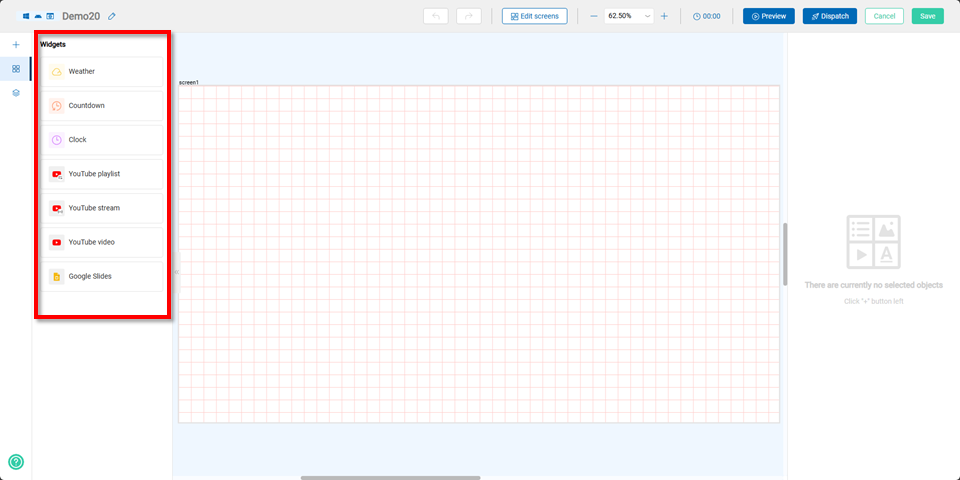
Weather Widget
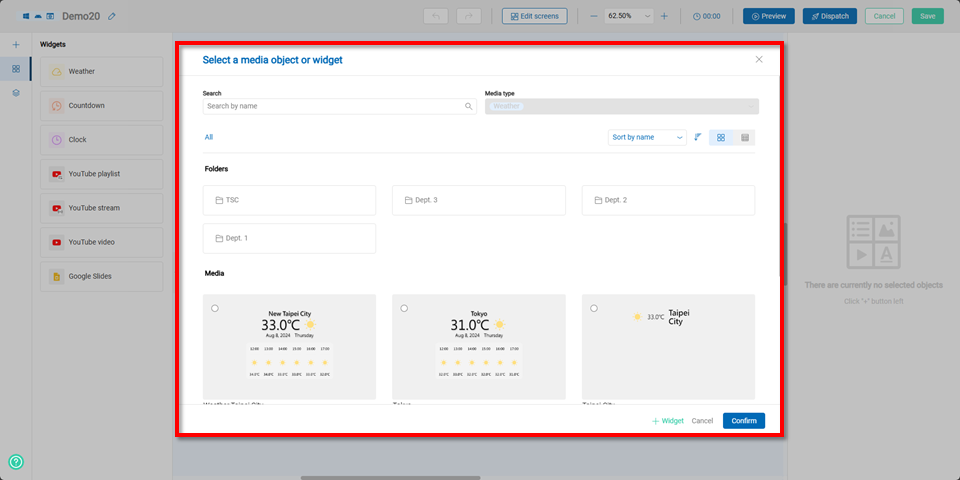
After selecting the Weather Widget, users can either choose a previously created widget from Shared Media or click the +Widget button to create a new one.
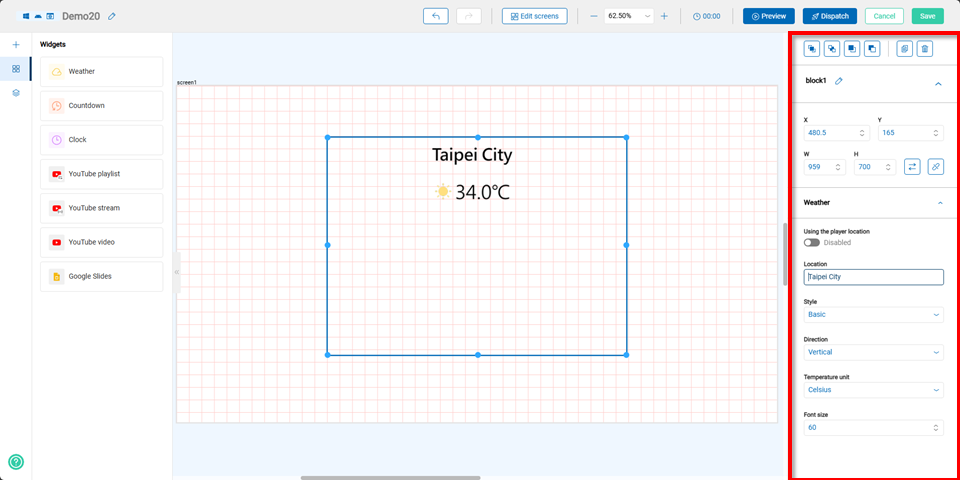
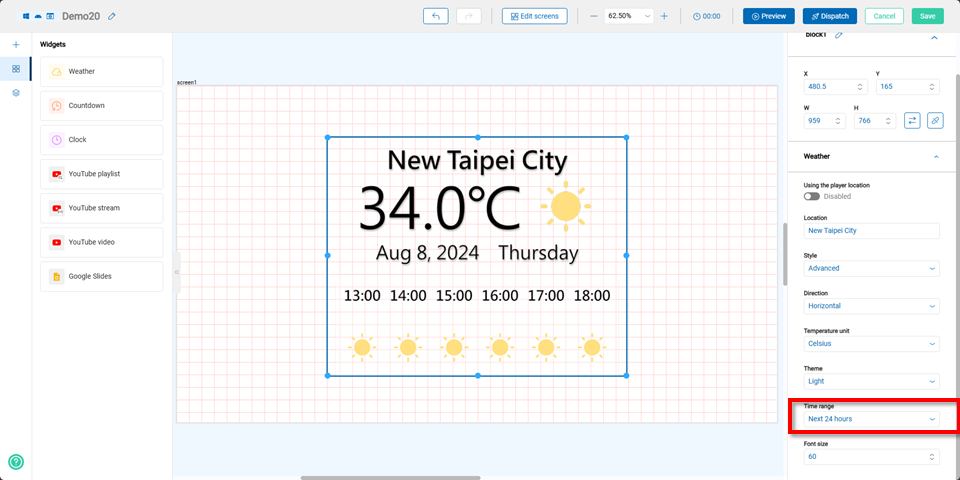
When creating a new widget, users can edit the widget's coordinates, size, choose whether to use the player's location or customize the location, select the style, orientation, temperature unit, and font size on the right panel.
Users can create a simple weather widget, which displays only the location name and temperature information.
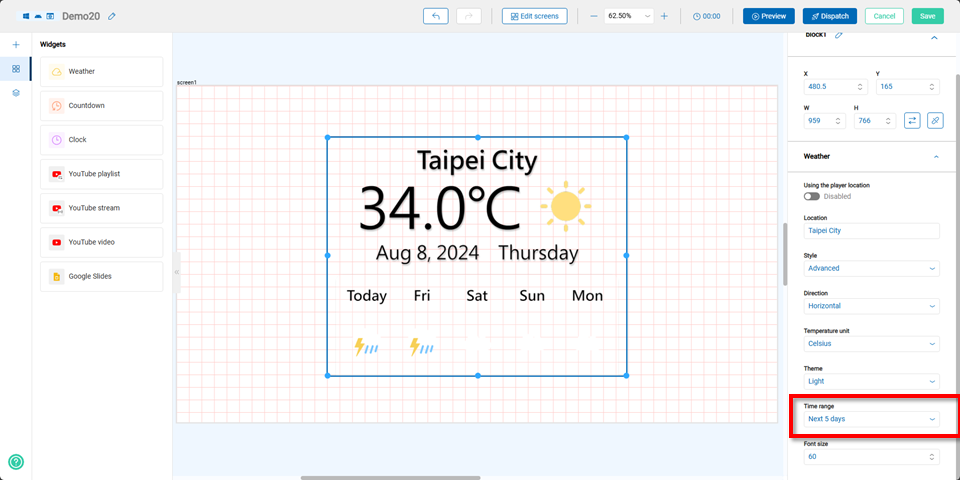
Or a full version that shows weather information for the next 5 days or the next 24 hours.
Countdown Widget
This feature is useful for time-sensitive displays, such as anniversary celebrations or flash sales.
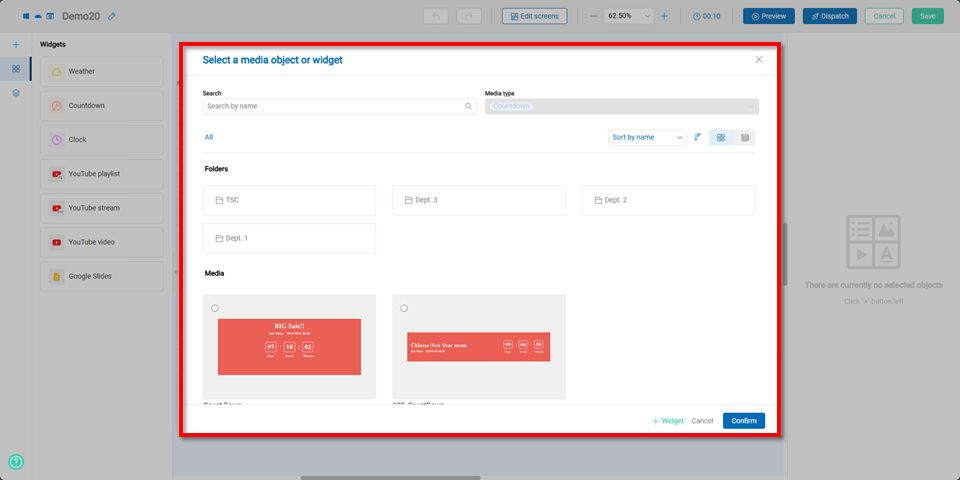
After selecting the Countdown Timer Widget, users can either choose a previously created widget from Shared Media or click the +Widget button to create a new one.
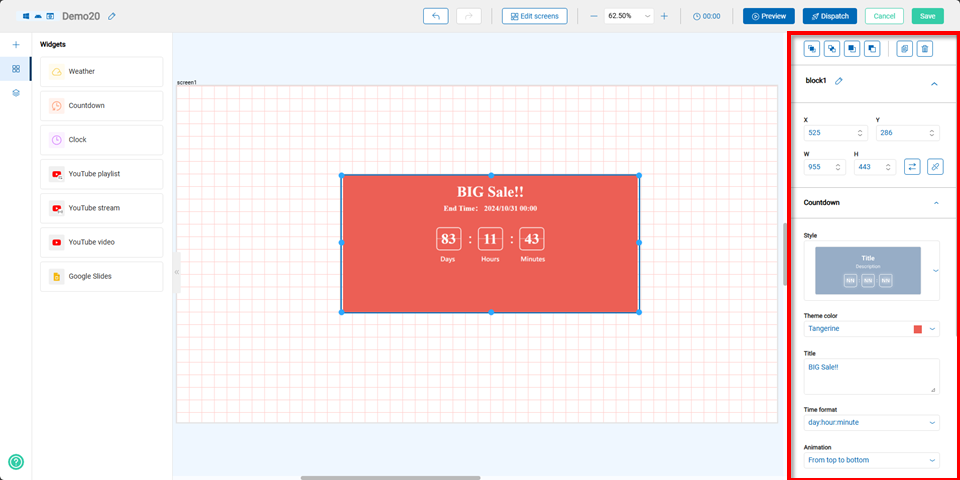
When creating a new widget, users can edit the widget's coordinates, size, style, theme color, title, countdown format, animation effect, and end time on the right panel. Users can also choose whether to display the end time, end date format, and end time format, as well as whether to show a countdown completion screen.
Clock Widget
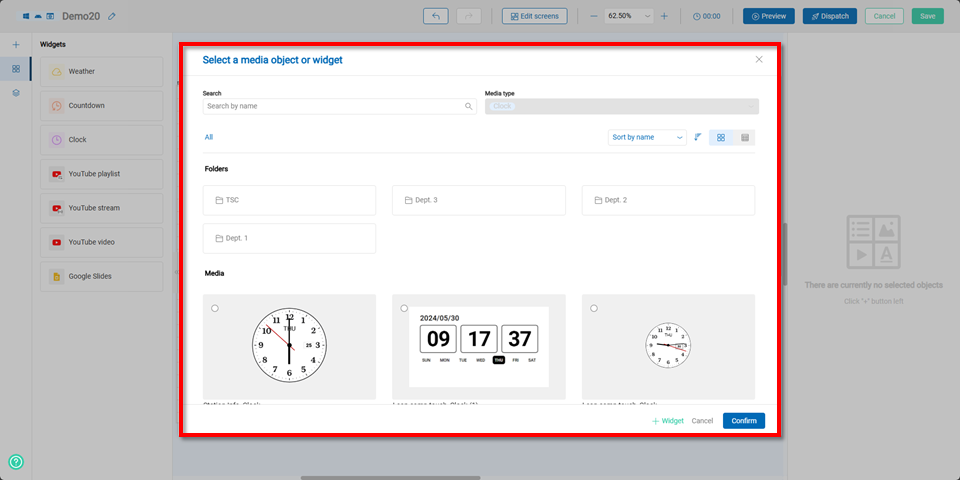
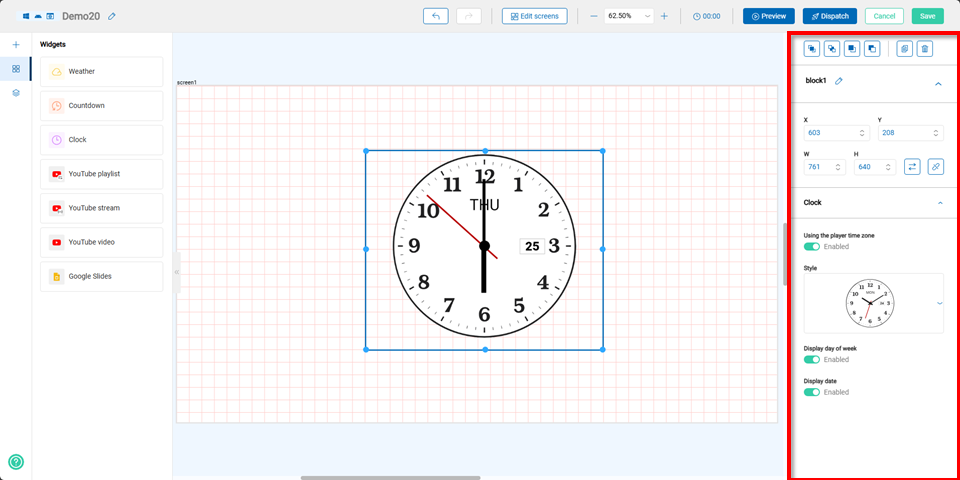
After selecting the Clock Widget, users can either choose a previously created widget from Shared Media or click the +Widget button to create a new one.
When creating a new widget, users can edit the widget's coordinates, size, style, and choose whether to use the player's time zone or customize the time zone, select the style, and choose whether to display the day of the week and date.
The clock widget supports both analog and digital clock styles, allowing users to choose the design that best fits their program's theme.
Youtube Playlist Widget
After selecting the YouTube Playlist Widget, users can either choose a previously created widget from Shared Media or click the +Widget button to create a new one.
Note If using YouTube-related widgets, the program must comply with the operating system's regulations regarding the number of allowed widgets. Not all links can be played due to YouTube's policies and regulations.
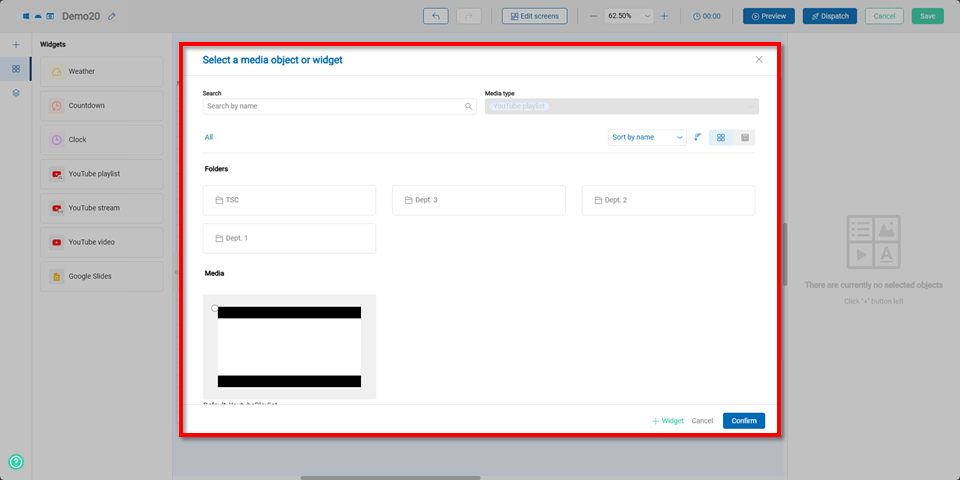
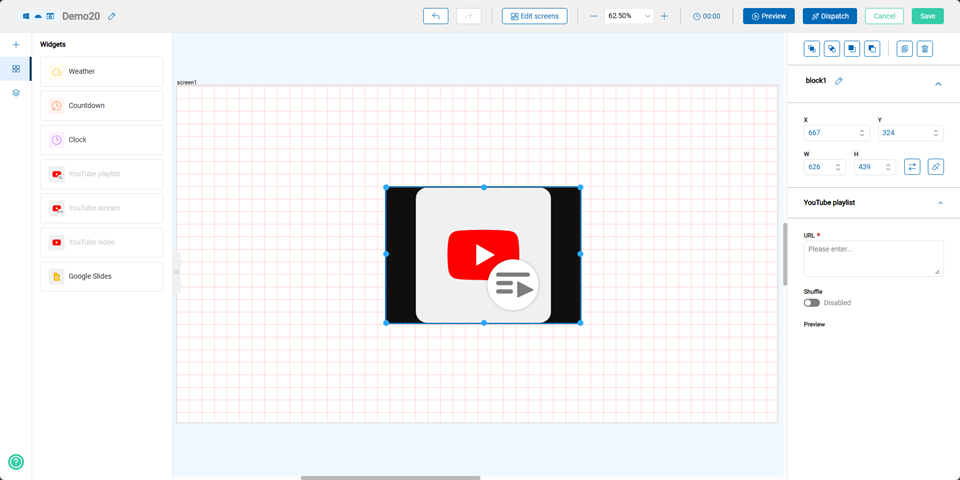
When creating a new widget, users can edit the widget's coordinates, size, and enter the URL of the YouTube playlist.
Youtube Live Stream Widget
After selecting the YouTube Live Stream Widget, users can either choose a previously created widget from Shared Media or click the +Widget button to create a new one.
Note If using YouTube-related widgets, the program must comply with the operating system's regulations regarding the number of allowed widgets. Not all links can be played due to YouTube's policies and regulations.
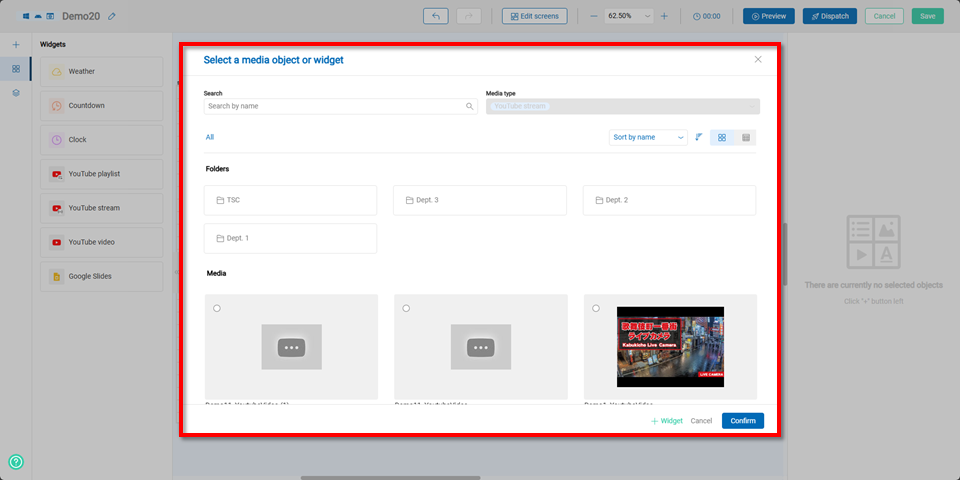
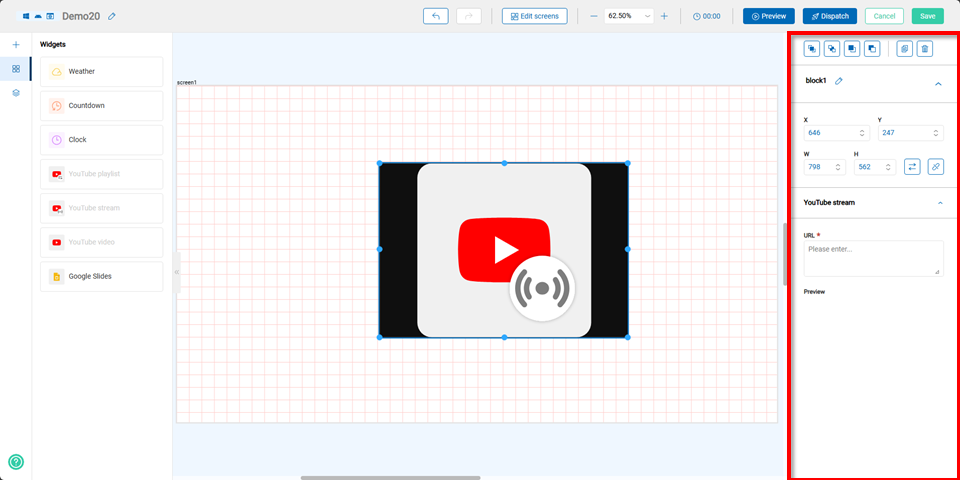
When creating a new widget, users can edit the widget's coordinates, size, and enter the URL of the YouTube live stream.
Youtube Video Widget
After selecting the YouTube Video Widget, users can either choose a previously created widget from Shared Media or click the +Widget button to create a new one.
Note If using YouTube-related widgets, the program must comply with the operating system's regulations regarding the number of allowed widgets. Not all links can be played due to YouTube's policies and regulations.

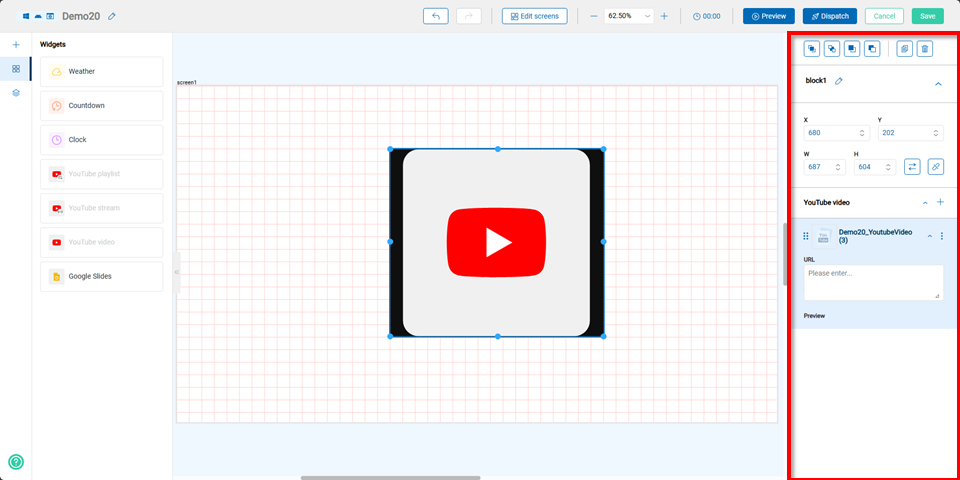
When creating a new widget, users can edit the widget's coordinates, size, and enter the URL of the YouTube video.
Google Slides Widget
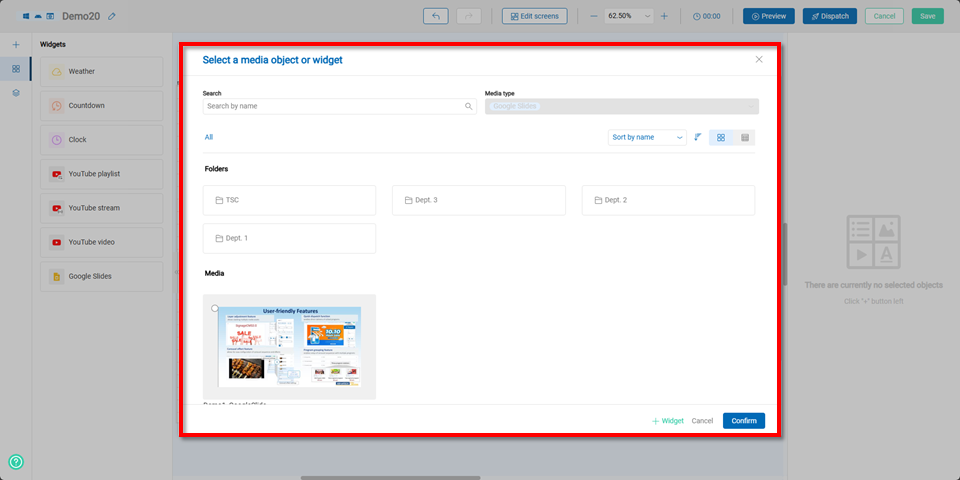
After selecting the Google Slides Widget, users can either choose a previously created widget from Shared Media or click the +Widget button to create a new one.
When creating a new widget, users can edit the widget's coordinates, size, and enter the URL of the Google Slides presentation.
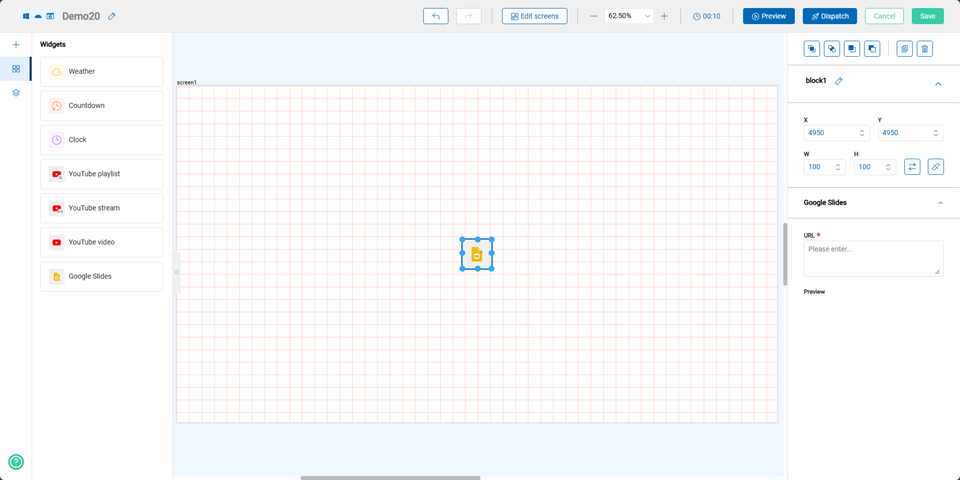
The Google Slides URL must use Google's official "Publish to Web" feature. For detailed instructions, please refer to:Link