2.2 Plant Overview
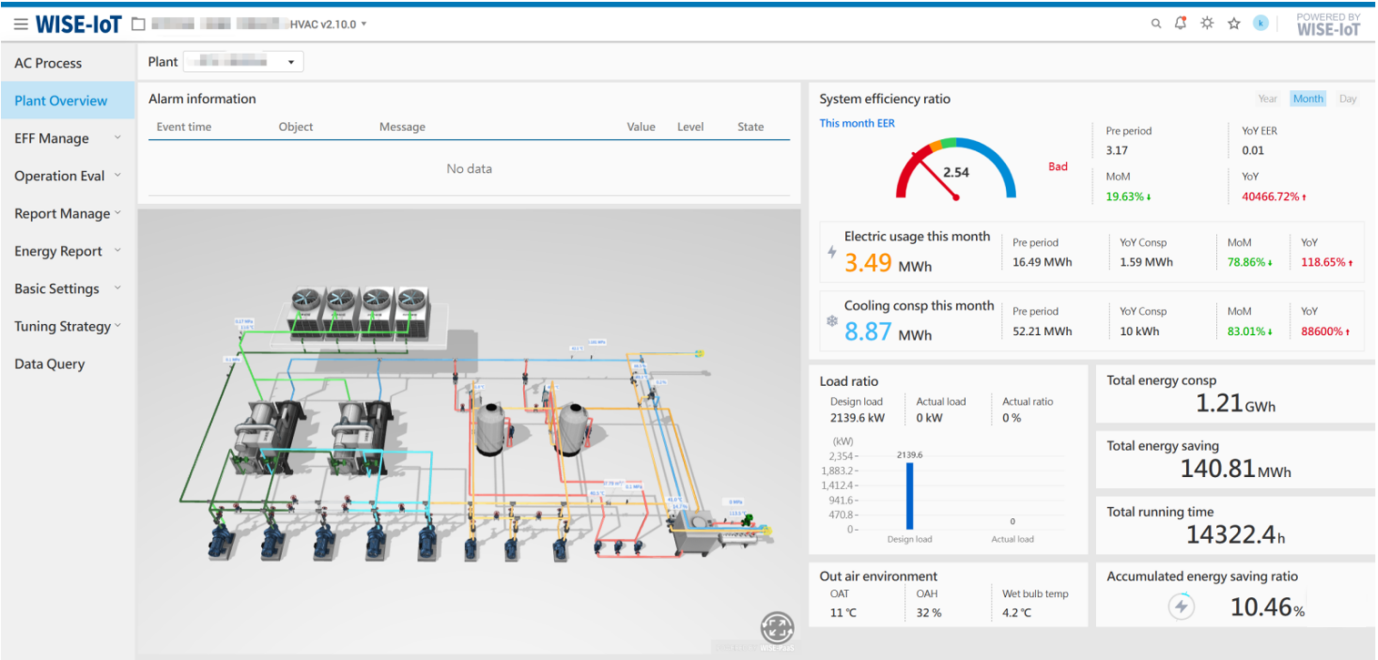
This page provides a centralized display of the energy station's 3D process flow and key efficiency metrics, including alarm information, system efficiency ratio, load percentage, etc.
Key Notes:
-
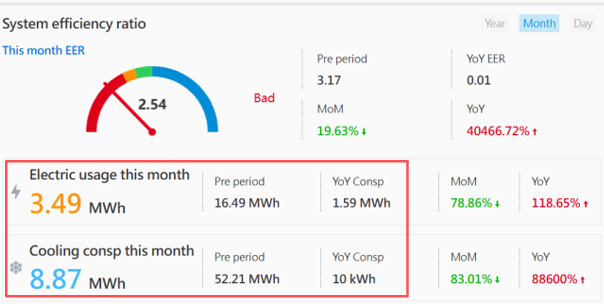
Rounding Rules: For values displayed in the red-framed panel area when the unit is kWh (base unit), the system will display rounded integers only, while converted units may display up to two decimal places.
-
Decimal Display: All data on this page shows a maximum of two decimal places. Trailing zeros are omitted.
-
Efficiency Dashboard Thresholds: The efficiency dashboard thresholds are derived from the energy efficiency thresholds configured in the [Cooling energy efficiency indicators] module under [Plant Info].
-
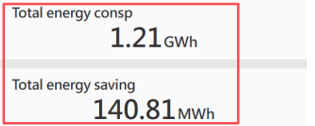
Total Power Consumption, Total Energy Savings, Total Runtime and Cumulative Energy Savings Ratio: These metrics are calculated from the official operation date, set in the [Start date] field under [Plant Info].
-
Total Energy Savings Calculation:
Total Energy Savings = (Cooling Capacity / Pre-Retrofit Efficiency) – Actual Total Power ConsumptionThe cooling capacity is calculated from the official operation date. The pre-retrofit efficiency is configured in the [Plant EER before renovation] field under [Plant Info].
-
Cumulative Savings Ratio Calculation:
Cumulative Savings Ratio = Total Energy Savings / (Cooling Capacity / Pre-Retrofit Efficiency)
                         = (Cooling Capacity / Pre-Retrofit Efficiency – Actual Total Power Consumption) / (Cooling Capacity / Pre-Retrofit Efficiency)
= 1 – (Actual Total Power Consumption × Pre-Retrofit Efficiency) / Cooling Capacity -
Design Cooling Load: Configured in the [Design Cooling Load] field under [Plant Info].
2.2.1 Equipment Data Analysis
Note: The data analysis display format for equipment may vary depending on project requirements and is for reference only.
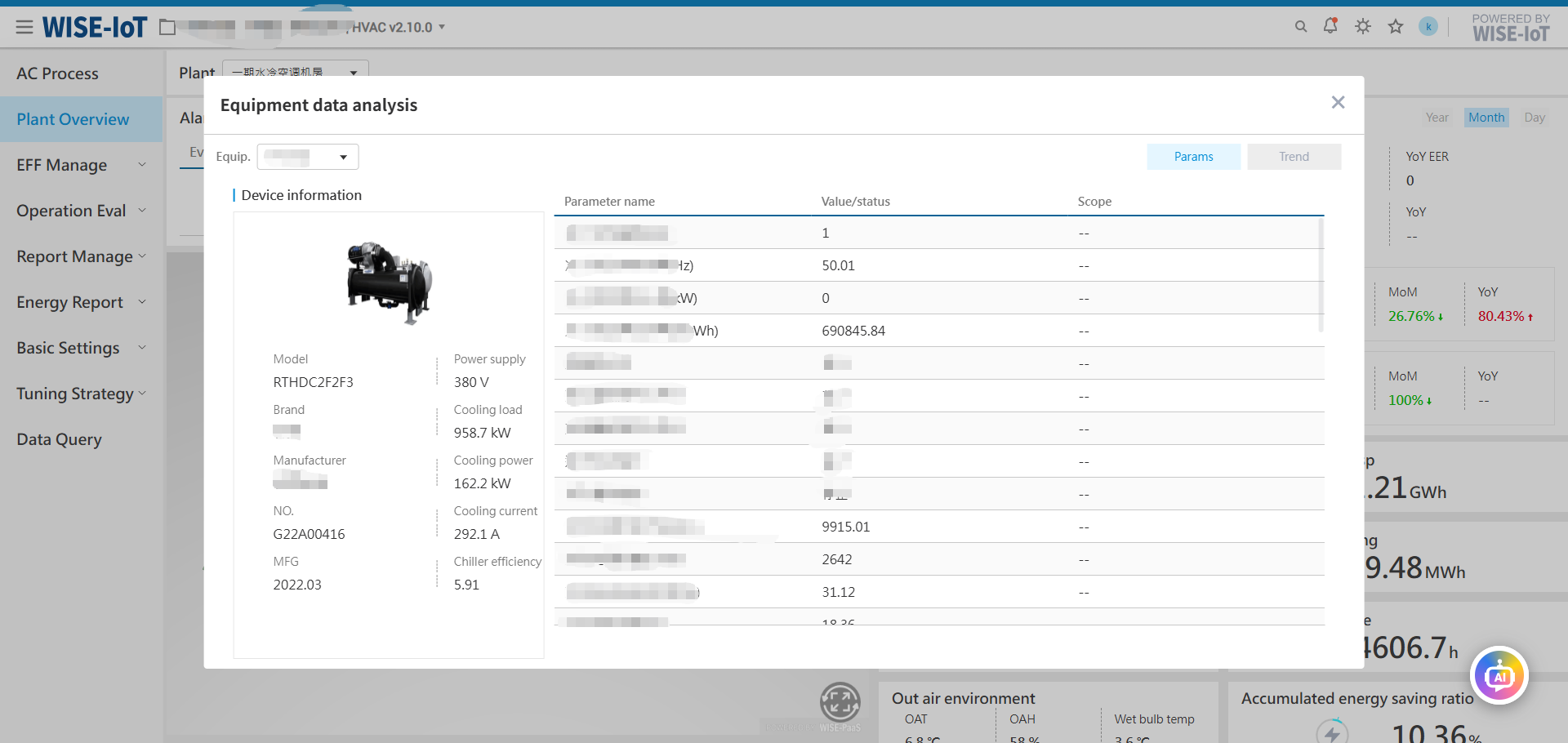
Click on key equipment in the bottom-left process diagram to view detailed information.
Default diagram supports the following clickable key equipment:
| Energy Station Type | Key Equipment |
|---|---|
| Water-Cooled Station | Chillers, Cooling Towers, Cooling Pumps, Chilled Water Pumps |
| Ground Source Heat Pump (GSHP) Station | GSHP Units, Ground Source Side Pumps, AC Side Pumps |
Switch between tabs to query historical equipment data.