2.7 Energy Report
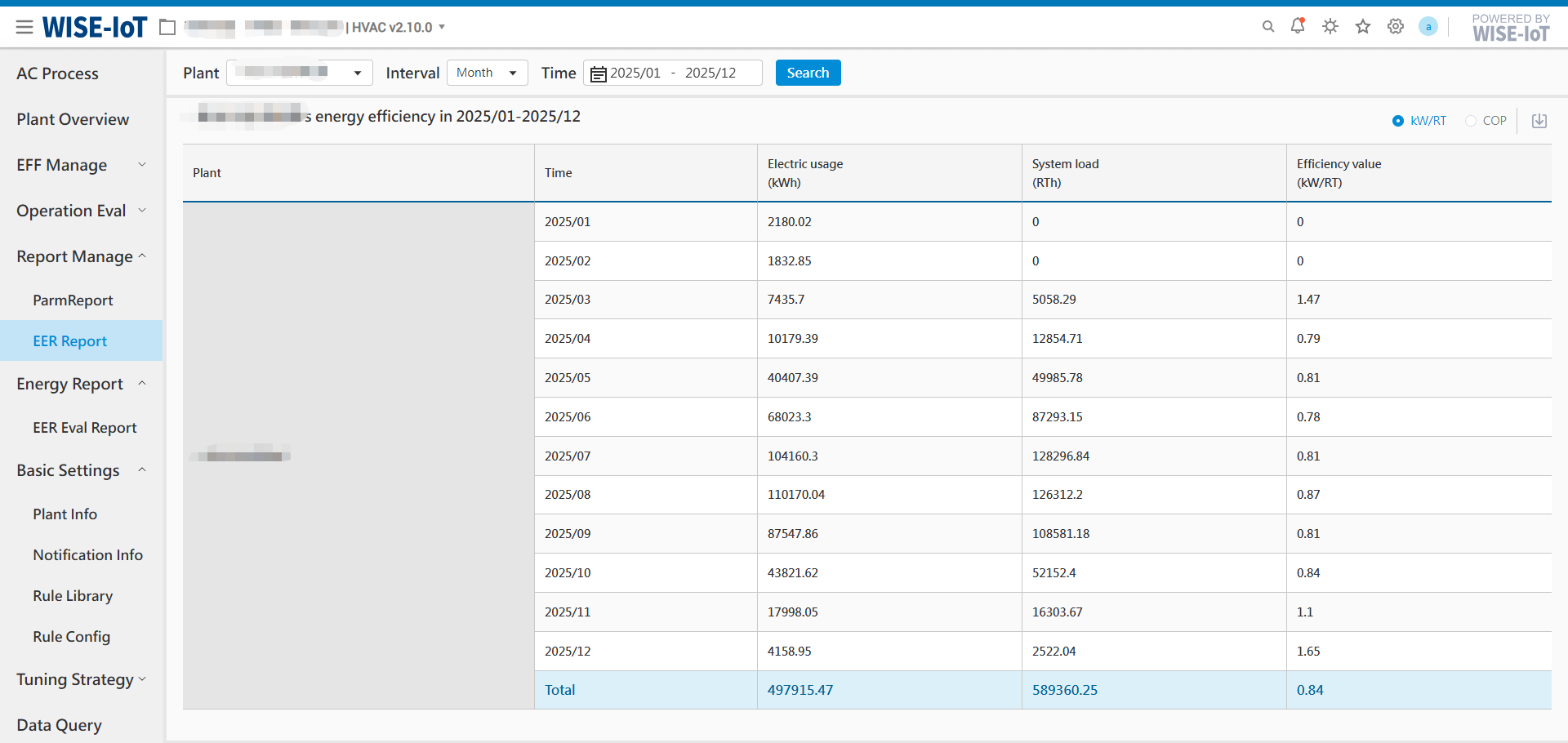
2.7.1 Energy Efficiency Evaluation Report
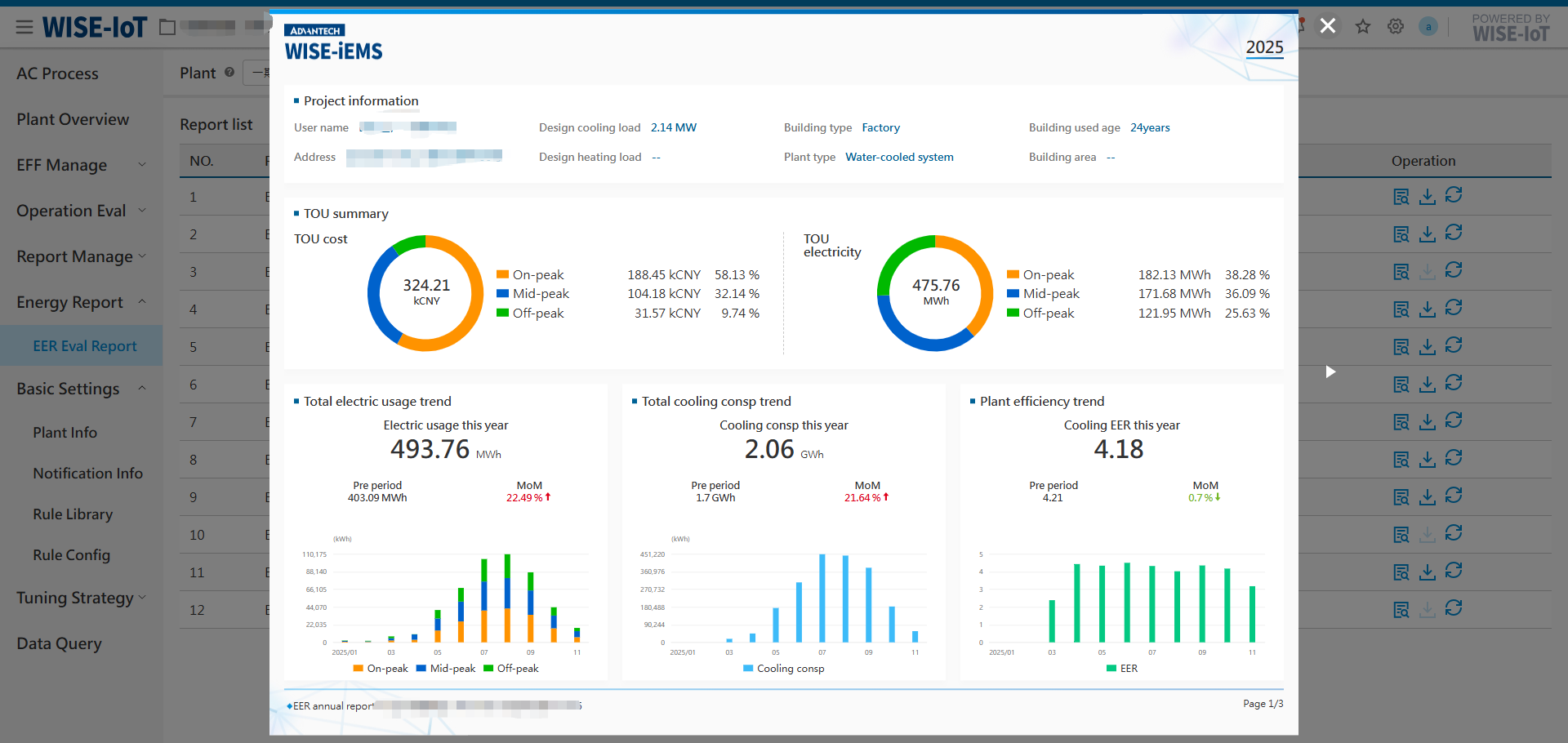
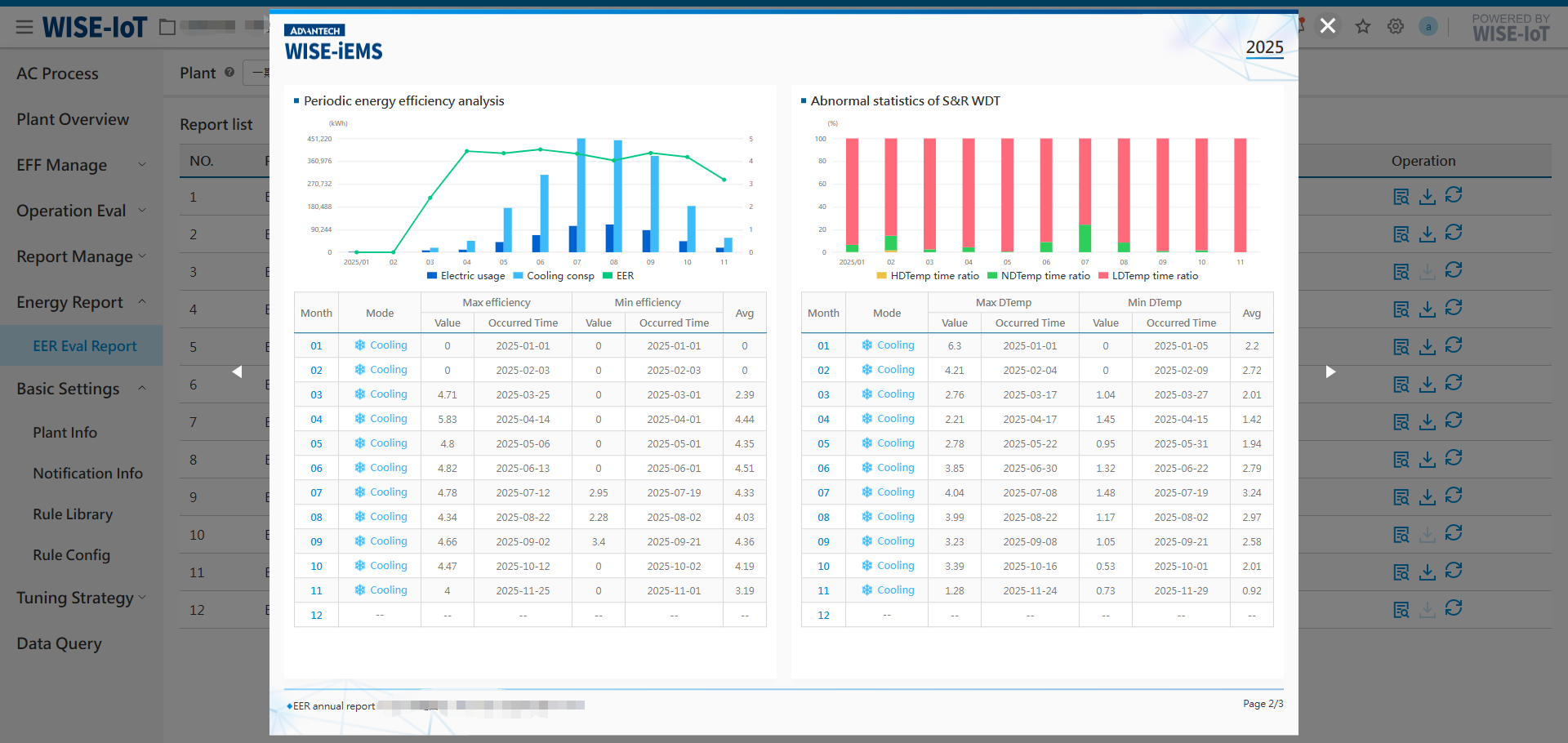
This report provides a statistical analysis of the overall energy efficiency of energy station, supporting both annual and monthly reports. It consists of three main sections: 1) Energy Station Efficiency Overview; 2) Statistical Analysis of Energy Efficiency & Supply-Return Water Temperature Deviation; 3) Anomaly Diagnosis & Evaluation of Maximum/Minimum Energy Savings
Key Notes:
-
Energy Station Selection: Only stations with configured site information (set in Basic Configuration → Site Information) are available for query. If an energy station is not configured, it will not appear in the dropdown menu.
-
Project Information: Project information, temperature difference thresholds, and efficiency thresholds displayed in the report are all obtained from the Site Information configuration.
-
Three Built-in Diagnostic Rules:
(1) Efficiency Diagnosis: In cooling/heating mode, analyzes the run time ratio of "Average" and "Needs Improvement" efficiency levels relative to all four levels (Excellent, Good, Average, Needs Improvement).
(2) Peak/Shoulder/Off-peak Diagnosis: In cooling/heating mode, analyzes the system run time ratio of "Critical Peak" and "Peak" periods relative to all time periods (Critical Peak, Peak, Shoulder, Off-peak).
(3) Temperature Difference Diagnosis: In cooling/heating mode, evaluates the run time ratio of "Low" and "High" supply-return water temperature differences relative to "Low", "Normal", and "High" ranges.
-
Energy Savings Calculation Principles:
(1) Minimum Energy Savings: For cooling/heating output under "Needs Improvement" & "Average" efficiency, back-calculate the power consumption using [efficiency = lower threshold of "Good"]. Estimated minimum energy savings = (Energy consumption of "Needs Improvement" & "Average" levels) – (Back-calculated consumption of "Good" level).
(2) Maximum Energy Savings: For cooling/heating output under "Needs Improvement", "Average" & "Good" efficiency, back-calculate the power consumption using [efficiency = 6 (Excellent level)]. Estimated maximum energy savings = (Energy consumption of "Needs Improvement", "Average" and "Good" levels) – (Back-calculated consumption of "Excellent" level).
-
Report Delivery Methods:
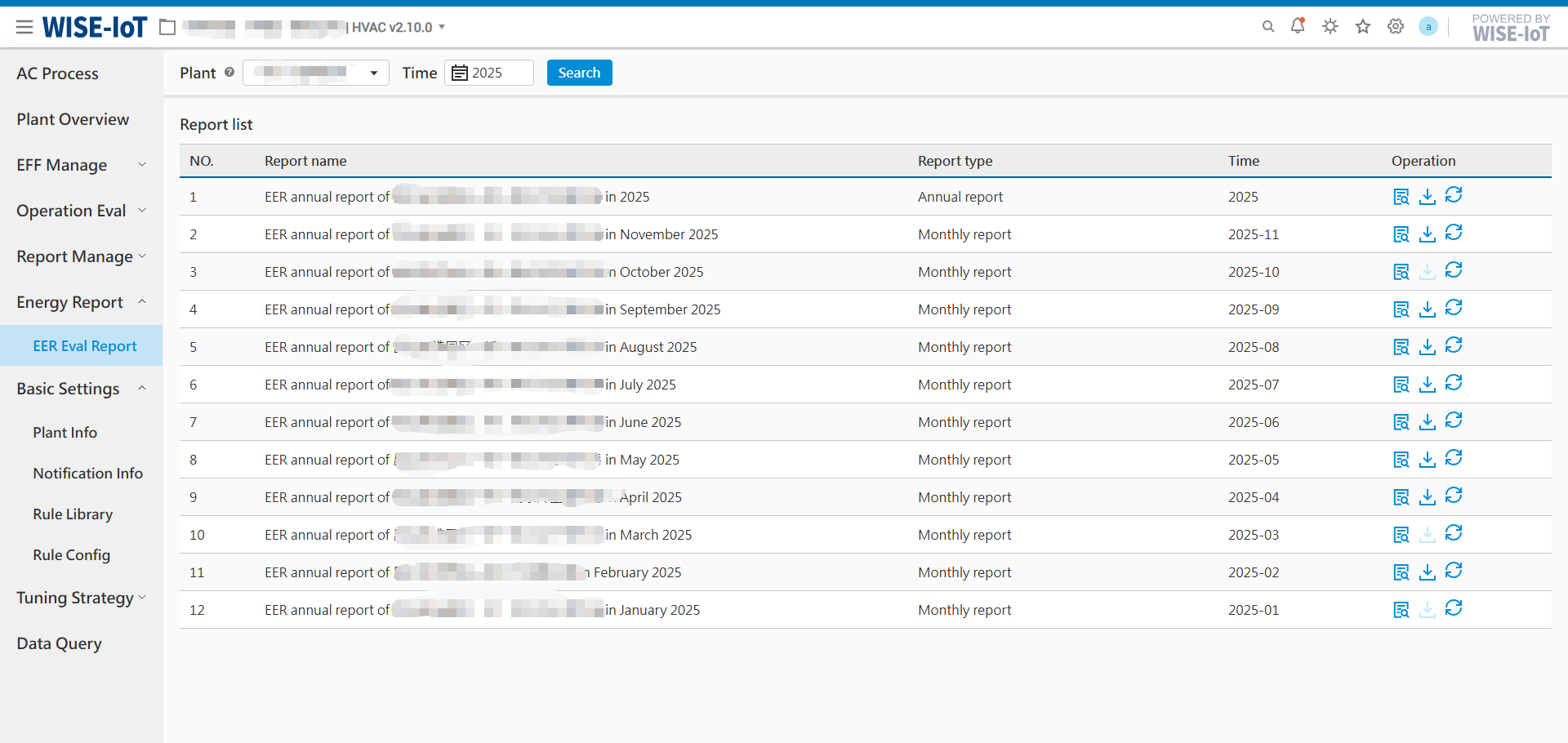
(1) Automated Email Dispatch: Based on the notification group (configured in Basic Settings → Notification Info), the system sends monthly/annual PDF reports as email attachments.
- Monthly Report - Dispatched on the 1st day of each month for the previous month.
- Annual Report - Dispatched on January 1st for the previous year.
(2) Online Preview: Users can preview generated reports directly on the page and download them in PDF format. Clicking the update button will update the report and automatically notify users via email.
Important Notes:
- To ensure accurate report data, the energy station information must be configured in [Plant Info]!
- To enable automated email report delivery, the email notification group must be configured in [Notification Info]!
Annual Report Content (3 Pages)
- P1 - Annual Efficiency Overview
- P2 - Efficiency Analysis & Supply-Return Water Temperature Deviation Statistics
- P3 - Efficiency & Supply-Return Water Temperature Deviation Analysis, Anomaly Diagnosis & Recommendations, Energy Savings Evaluation
Monthly Report Content (6 Pages)
- P1 - Annual Efficiency Overview
- P2 - Monthly Efficiency Overview
- P3 - Monthly Efficiency Analysis
- P4 - Monthly Supply-Return Water Temperature Deviation Statistics
- P5 - Monthly Efficiency & Supply-Return Water Temperature Deviation Analysis, Anomaly Diagnosis & Recommendations, Energy Savings Evaluation
- P6 - Monthly Efficiency Calendar, including daily cooling/heating output, daily power consumption, operational efficiency, and supply-return water temperature difference for cooling/heating.
Annual Report Pages:

Monthly Report Pages: