How to use WEDA Edge AI Containers
This guide walks you through the process of discovering, evaluating, and deploying containers from the Advantech Container Catalog (ACC).
Step 1: Access the Container Catalog
Navigate to the Advantech Container Catalog in your web browser.
URL: https://catalog.advantech.com/en-int/containers
Catalog Interface Overview
The catalog homepage provides several navigation and discovery tools:
| Component | Description |
|---|---|
| Search Bar | Search containers by name, keyword, or technology (e.g., "LLM", "YOLO", "OpenCV") |
| Category Filters | Browse containers by category: Computer Vision, LLM, IoT, Edge AI, etc. |
| Container Cards | Each card displays container name, description, supported hardware, and key features |
| Featured Section | Highlights popular and recommended containers for common use cases |
Step 2: Select a Container
Use the search bar with keywords or the category filters on the left side to find a container that matches your use case.
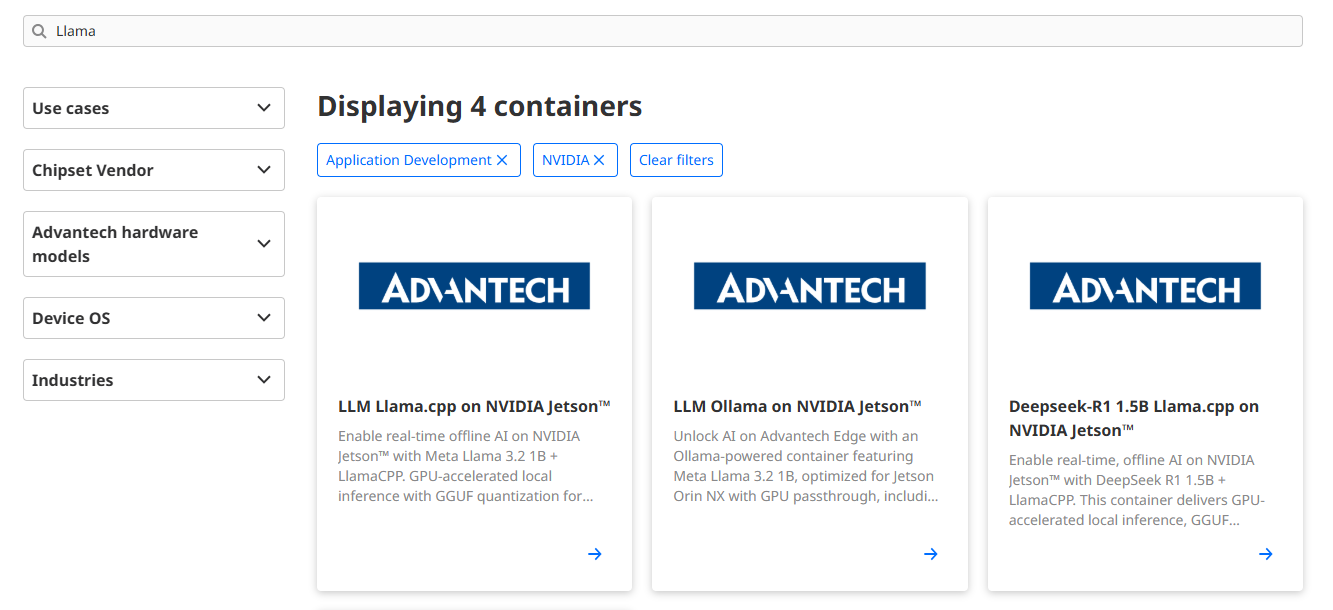
Example: We'll use "LLM Ollama on NVIDIA Jetson™" as a reference throughout this guide.
Step 3: Review Container Details
Click on a container card to view its detailed information page.
Example: LLM Ollama on NVIDIA Jetson™
Key Information to Review
Before developing, carefully review the following sections:
3.1 Host Device Prerequisites
Example: LLM Ollama on NVIDIA Jetson™
| Item | Specification |
|---|---|
| Compatible Hardware | Advantech devices with NVIDIA Jetson™ acceleration (see full list in catalog) |
| JetPack Version | 5.x |
| Host OS | Ubuntu 20.04 |
| Required Software Packages | See next section below |
| Software Installation | Use NVIDIA Jetson™ Software Package Installer |
3.2 Container Environment Overview
Example: LLM Ollama on NVIDIA Jetson™
| Component | Version | Description |
|---|---|---|
| CUDA® | 11.4.315 | GPU computing platform |
| cuDNN | 8.6.0 | Deep Neural Network library |
| TensorRT™ | 8.5.2.2 | Inference optimizer and runtime |
| PyTorch | 2.0.0+nv23.02 | Deep learning framework |
| TensorFlow | 2.12.0 | Machine learning framework |
| ONNX Runtime | 1.16.3 | Cross-platform inference engine |
| OpenCV | 4.5.0 | Computer vision library with CUDA® |
| GStreamer | 1.16.2 | Multimedia framework |
| Ollama | 0.5.7 | LLM inference engine |
| OpenWebUI | 0.6.5 | Web interface for chat interactions |
3.3 Container Quick Start Guide
Click the GitHub repository link and proceed to the next step.
Step 4: More Details on GitHub and Clone the Repository
Before cloning the repository GitHub – LLM Ollama on NVIDIA Jetson™, carefully review the following topics in the README to ensure your environment is fully prepared:
- Host System Requirements
- List of READMEs
- Hardware Specifications
- Software Components
- Before You Start
- Quick Start
Before proceeding, ensure that all prerequisites for each topic have been thoroughly reviewed and satisfied.
Once all requirements are confirmed, you are ready to begin developing your AI application.