Subnode Template
Upon completion of this topic, you will be able to:
- Create and run a project using the
dotnet new subnodecommand
Create a project
Creates a project with:
- Custom device class inheriting from
TcpModbusDevice - Event-driven architecture (
OnDataReceived) - Ideal for single device development and debugging
mkdir devices
cd devices

# Create a new project
dotnet new subnode -n MyDevice

# If you already have an existing template, use the '--force' option to overwrite it
dotnet new subnode -n MyDevice --force
Quick Test
You can execute the template project on a built-in simulator, allowing local development and testing without physical devices.
The simulator emulates device data and interactions, enabling you to validate API endpoints and integration logic before deploying to real hardware.
cd MyDevice
dotnet run
Expected output:
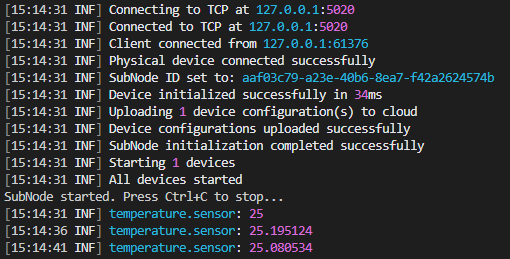
🎉 If you see periodic telemetry data, congratulations! You've successfully created your first SubNode!
Last updated on Jan-16, 2026 | Version 1.0