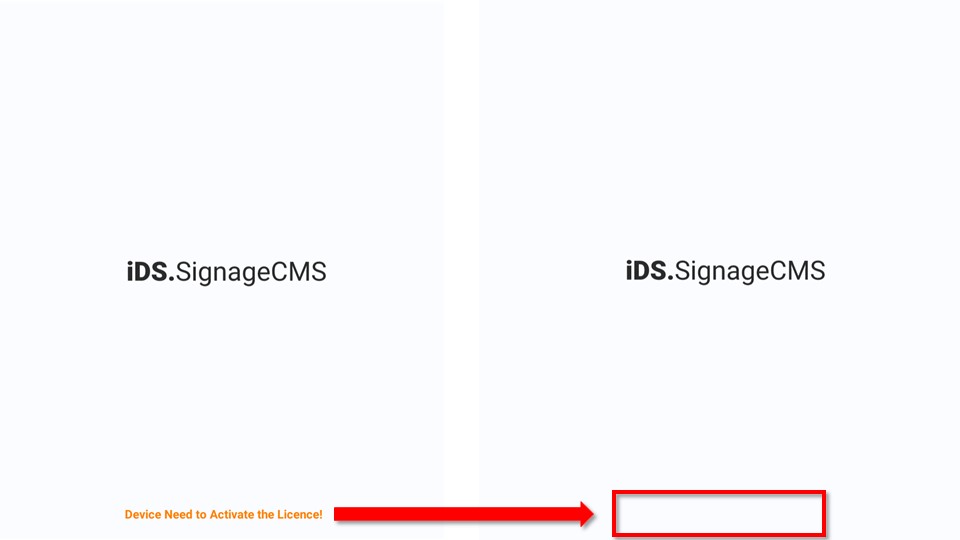
Flow Chart
- Software Download & Installation --> 2. License Activation >- Attention: Please read note first in detail as below step.
1. Software Download & Installation
Please confirm Android and Signage software version first. >- If the software has been installed, please confirm signage version is latest one. >- If signage version is same on download web site, please ignore this step.
iDS.SignageCMS Player Software Version
| Model | Soc | Android OS | SW Version |
|---|---|---|---|
| USM-110A-BR120, USM-110A-BR121, USM-110UDS1-G1E-C | RK-3288 | Android 6 | 2.5.2.1 |
| USM-110A-BR124, USM-110IDSC-S1E-C, USM-110IDSC-S2E-C | RK-3288 | Android 8 | 2.5.2.1 |
| USM-110A-BR125, USM-110IDSC1-S1E-C, USM-110IDSC1-S2E-C | RK-3288 | Android 10 | 2.5.2.1 |
| USM-110A-BD112, USM-110A-BD112, USM-110UDS3-S1E, USM-110UDS3-S2E | RK-3566 | Android 11 | 2.5.2.1 |
iDS-互動資訊看板- ->快速上手與常見問題- ->常見問題- ->版本資訊-->
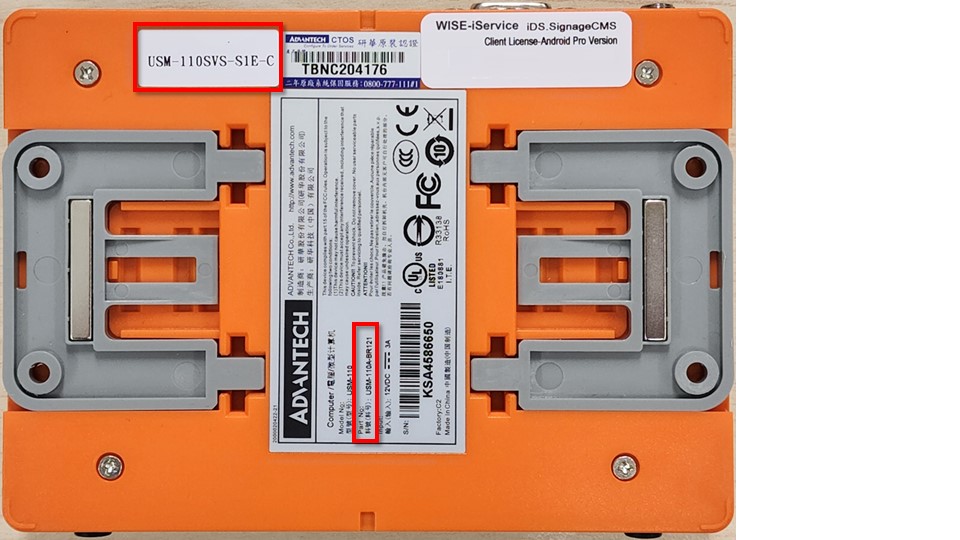
Check Model on back side
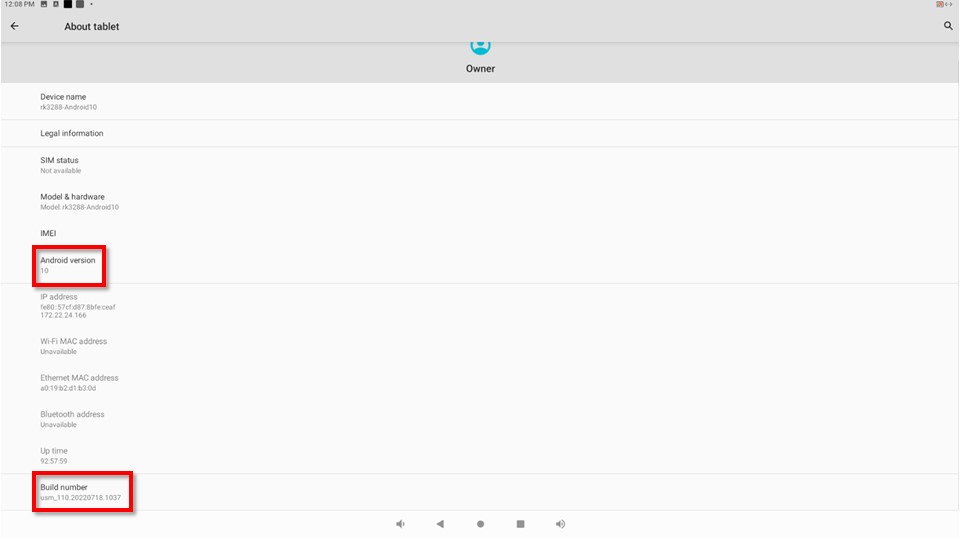
Check build number & system version in system
Go to Settings --> About Tablet --> Check incuding Build Number & Android version.
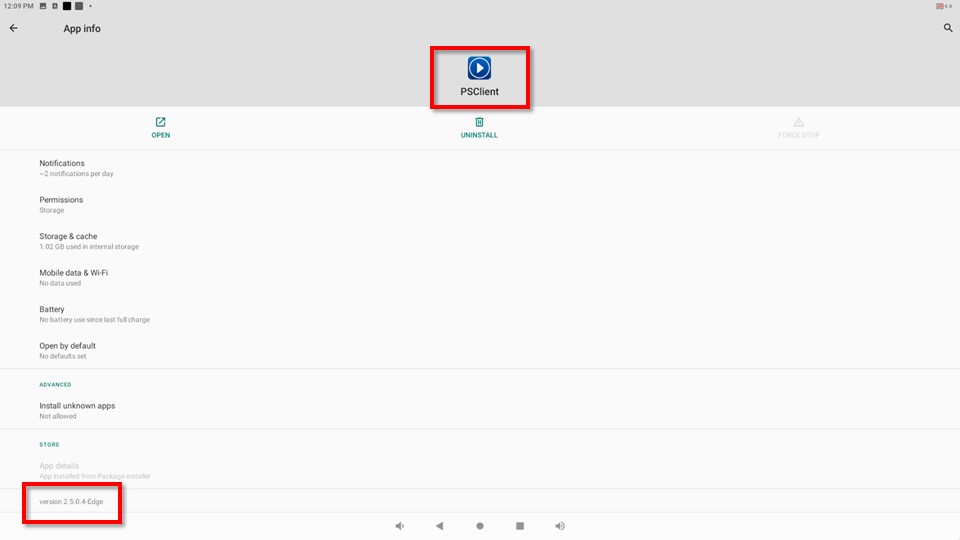
Check iDS.SignageCMS version
Go to Settings --> Apps
Software Download
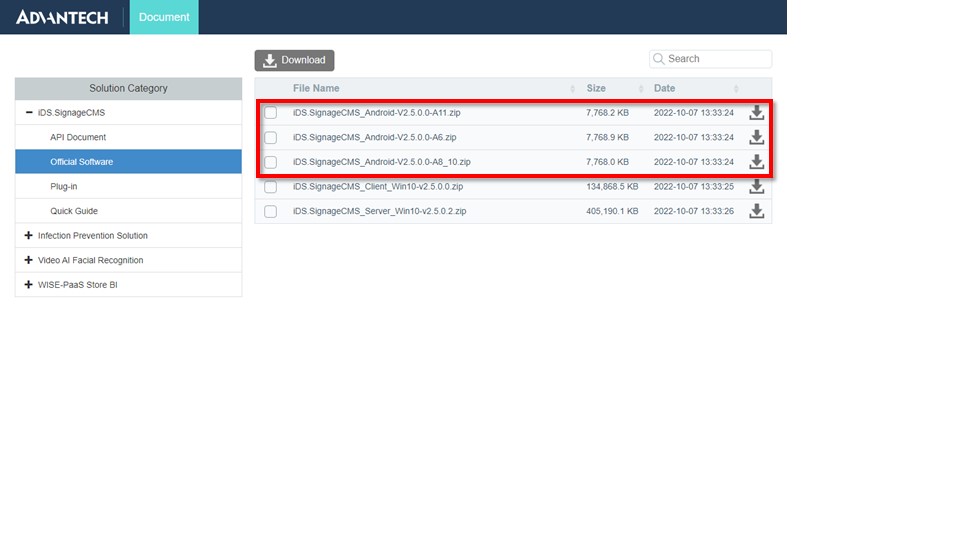
Step 1. Open Chrome or Edge browser, input , find file in iDS.SignageCMS-->Official Software cateory, you may find latest version. Please base on model table to download correct version.
Software Install and Upgrade
>- If you have USM-110 already, please confirm signage version is latest one. >- Software upgrading process same with installation process, Please DON"T remove software, it will remove license key, too.
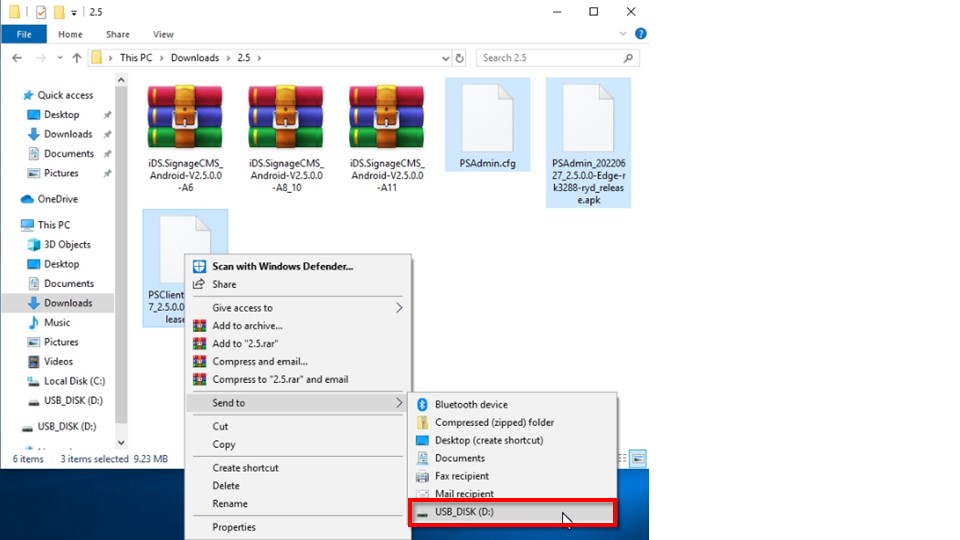
Step 2. When the file has been downloaded, please unzip the file and copy it to USB drive(FAT32).
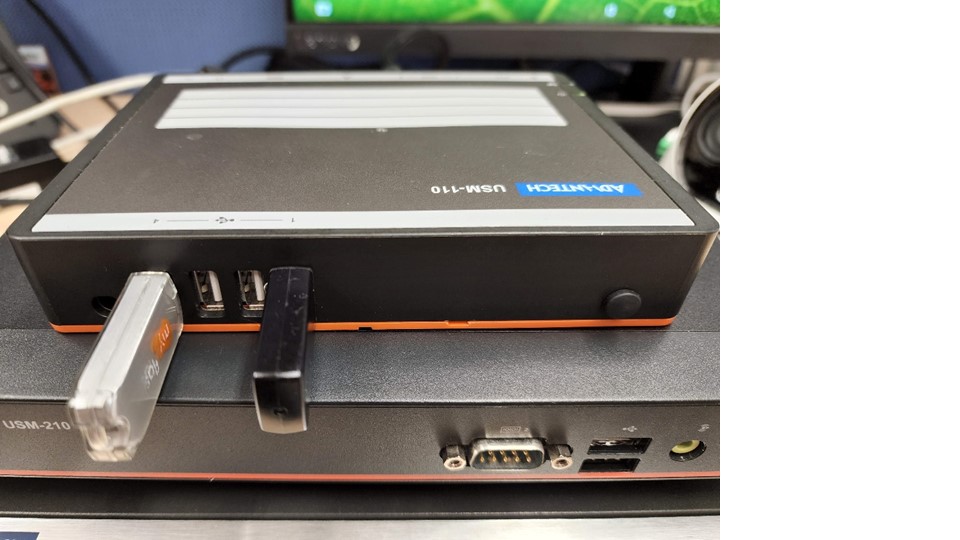
Step 3. Plug the USB drive to Android player.
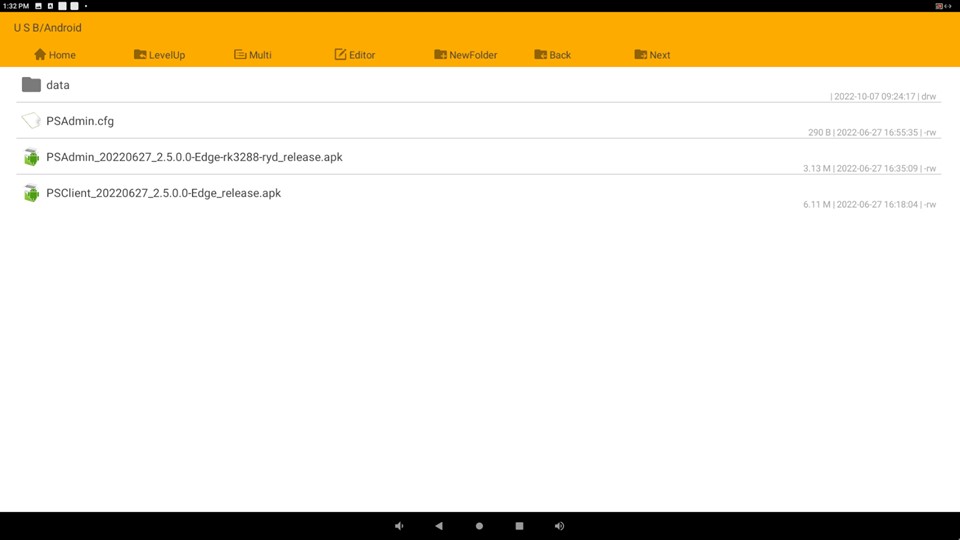
Step 4. Click Explorer APP, then go to unzip path on USB drive, install PSAdmin and PSClient apk files. >- please accept the permission if popup the message.
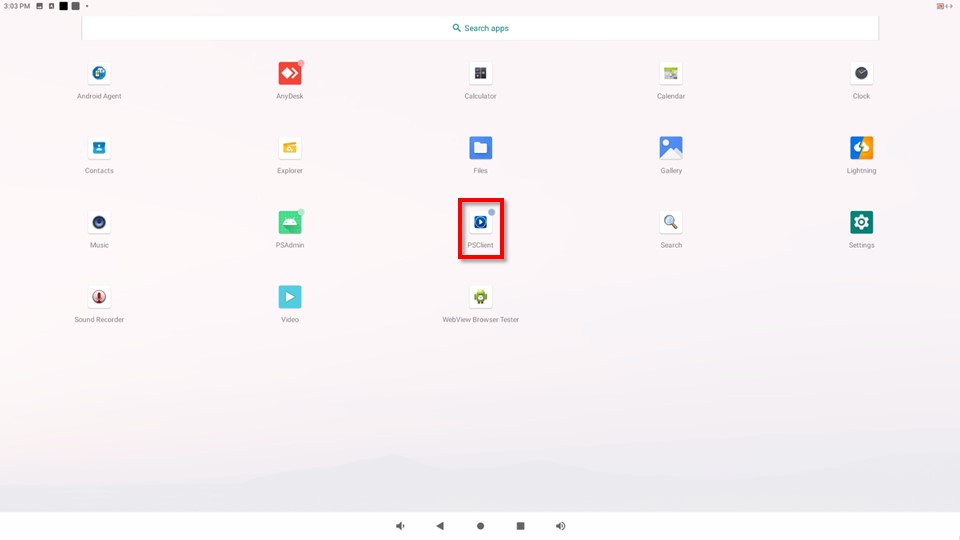
Step 5. When you completed, you will see the PSClient icon.
2. License Activation
>- The step is online activateation, please connect the lan cable to player and make sure it can connect to internet. >- If you are using trail license, please adjust the timezone, date and time first. >- If the player select public cloud, please ignore this step. >- If you already purchased system with sigangeCMS software, please ignore this step.
Activate License by Advanced Mode
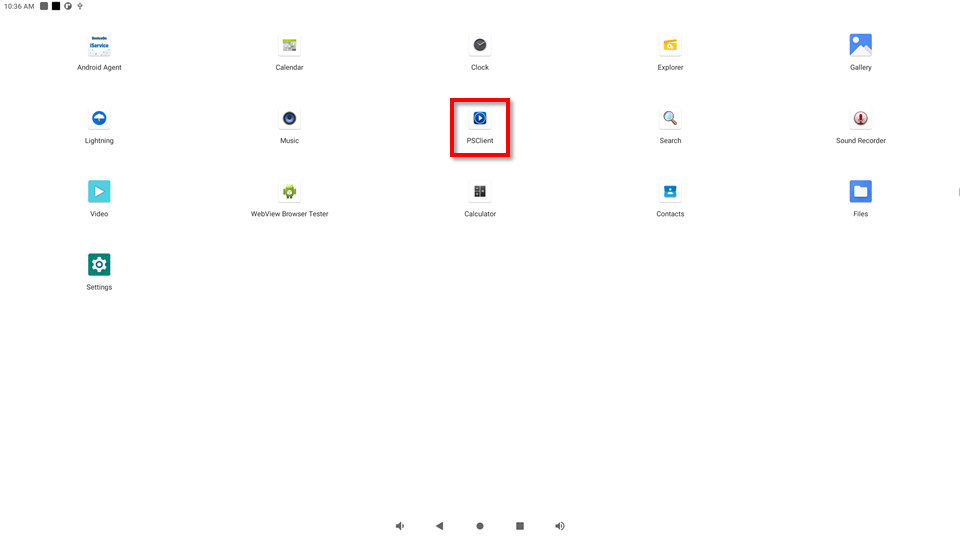
Step1. Click on the SignageCMS Client App icon to access the main program for digital signage management.
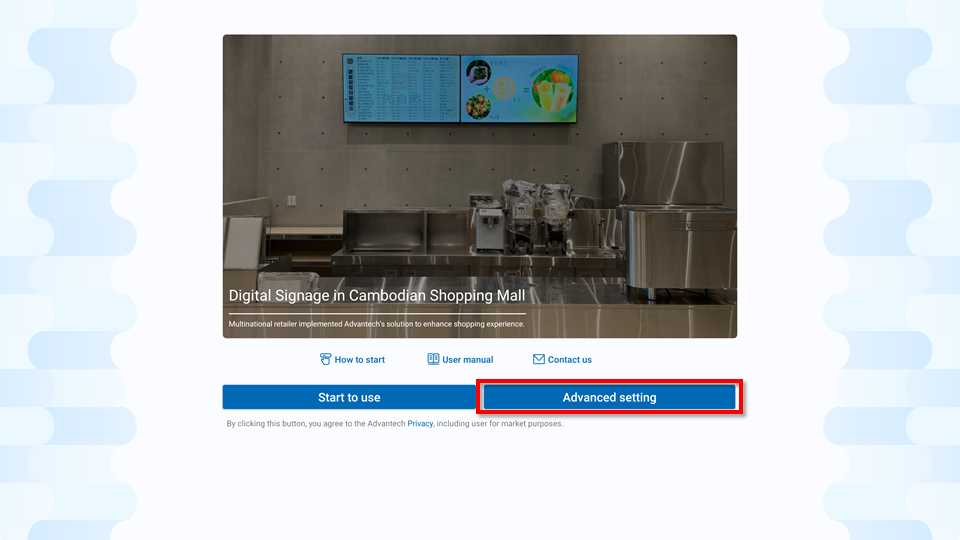
Step2. Click "Advanced setting" to enter the traditional setting mode.
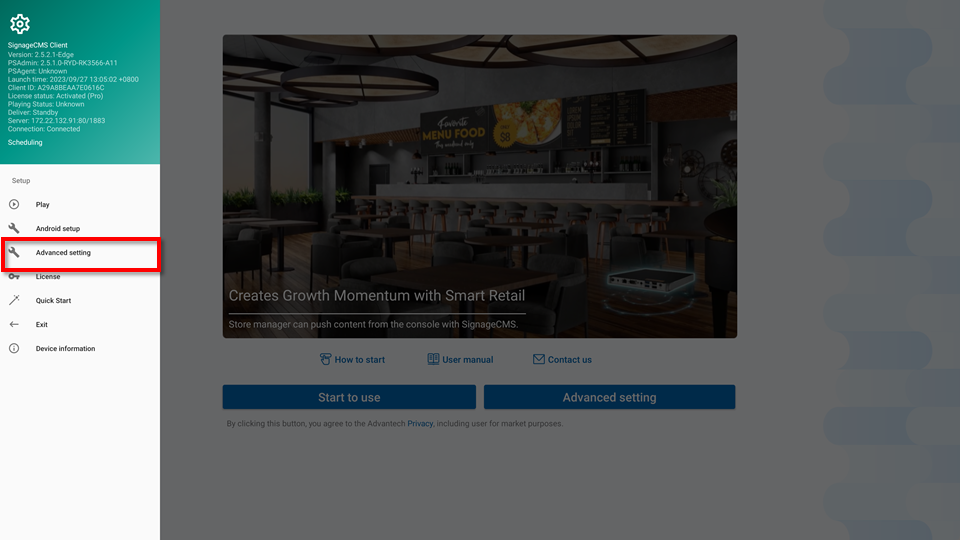
Step3. Move mosue cursor to left side on SignageCMS screen, hold mouse left button and move to right side, the menu bar will show on left side, then select Advanced Setting.
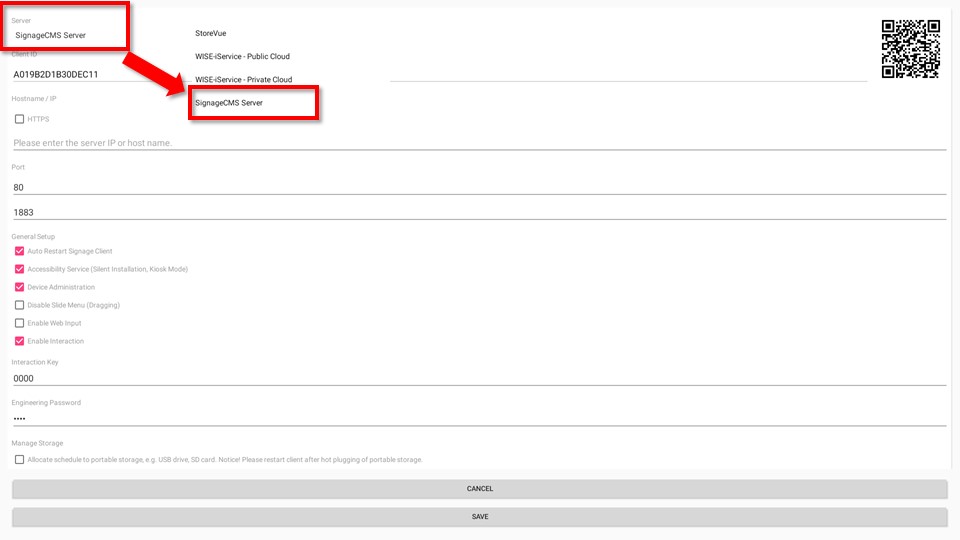
Step 4. Select SigangeCMS Server, press SAVE button.
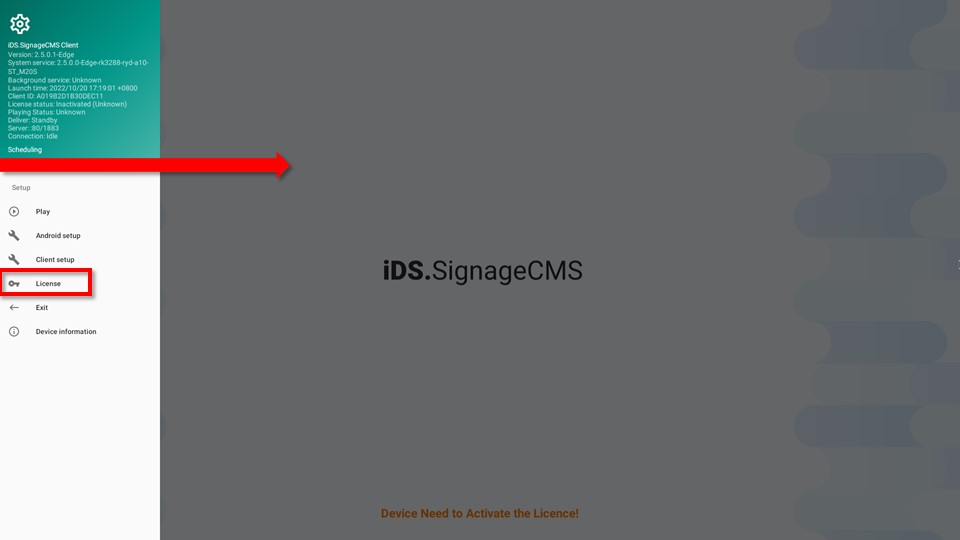
Step 5. Move mosue cursor to left side on SignageCMS screen, hold mouse left button and move to right side, the menu bar will show on left side, then select license. >- Press keyboard menu button has same function.
Step 6. Please input 16 digit code license, press Activate Now button, it will show success message.
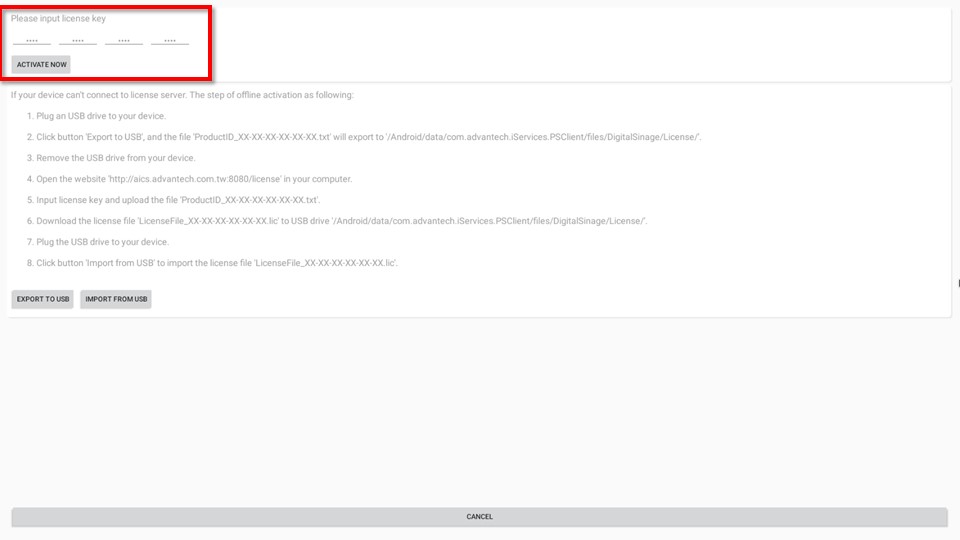
Step 7. When activate successful, the screen "Device Need to Activate the License" will disappear.